
Moes ZM7LT1
| Model | ZM7LT1 |
| Vendor | Moes |
| Description | Single-phase energy meter with CT clamp |
| Exposes | energy, voltage, current, power, ac_frequency, reverse_energy, fault, over_current_threshold, clear_event, refresh_measurements, active_energy |
| Picture | 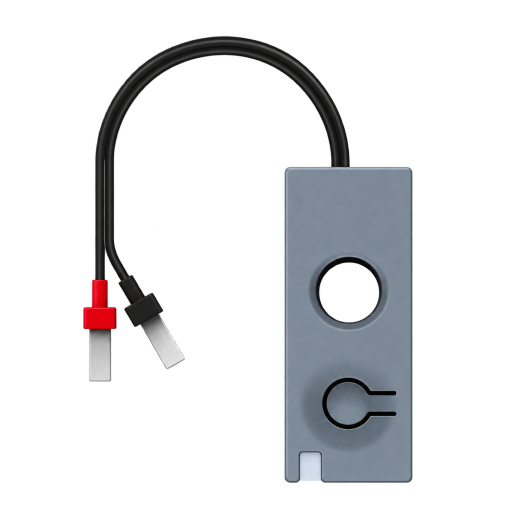 |
Options
How to use device type specific configuration
time_start: Reply to Tuya-specific time synchronization requests: "1970" - Reply with seconds since 1970/01/01 (recommended, should stop the device from asking), "2000" - Reply with seconds since 2000/01/01 (use if the weekday is wrong with 1970), "off" - Don't reply (use if replying causes too much traffic). Default for this device: "off". The value must be one of1970,2000,offenergy_calibration: Calibrates the energy value (percentual offset), takes into effect on next report of device. The value must be a number.energy_precision: Number of digits after decimal point for energy, takes into effect on next report of device. This option can only decrease the precision, not increase it. The value must be a number with a minimum value of0and with a maximum value of3voltage_calibration: Calibrates the voltage value (percentual offset), takes into effect on next report of device. The value must be a number.voltage_precision: Number of digits after decimal point for voltage, takes into effect on next report of device. This option can only decrease the precision, not increase it. The value must be a number with a minimum value of0and with a maximum value of3current_calibration: Calibrates the current value (percentual offset), takes into effect on next report of device. The value must be a number.current_precision: Number of digits after decimal point for current, takes into effect on next report of device. This option can only decrease the precision, not increase it. The value must be a number with a minimum value of0and with a maximum value of3power_calibration: Calibrates the power value (percentual offset), takes into effect on next report of device. The value must be a number.power_precision: Number of digits after decimal point for power, takes into effect on next report of device. This option can only decrease the precision, not increase it. The value must be a number with a minimum value of0and with a maximum value of3ac_frequency_calibration: Calibrates the ac_frequency value (absolute offset), takes into effect on next report of device. The value must be a number.ac_frequency_precision: Number of digits after decimal point for ac_frequency, takes into effect on next report of device. This option can only decrease the precision, not increase it. The value must be a number with a minimum value of0and with a maximum value of3
Exposes
Energy (numeric)
Sum of consumed energy. Value can be found in the published state on the energy property. It's not possible to read (/get) or write (/set) this value. The unit of this value is kWh.
Voltage (numeric)
Measured electrical potential value. Value can be found in the published state on the voltage property. It's not possible to read (/get) or write (/set) this value. The unit of this value is V.
Current (numeric)
Instantaneous measured electrical current. Value can be found in the published state on the current property. It's not possible to read (/get) or write (/set) this value. The unit of this value is A.
Power (numeric)
Instantaneous measured power. Value can be found in the published state on the power property. It's not possible to read (/get) or write (/set) this value. The unit of this value is W.
AC frequency (numeric)
Measured electrical AC frequency. Value can be found in the published state on the ac_frequency property. It's not possible to read (/get) or write (/set) this value. The unit of this value is Hz.
Reverse energy (numeric)
Total reverse active energy. Value can be found in the published state on the reverse_energy property. It's not possible to read (/get) or write (/set) this value. The unit of this value is kWh.
Fault (numeric)
Fault status. Value can be found in the published state on the fault property. It's not possible to read (/get) or write (/set) this value.
Over current threshold (numeric)
Overcurrent alarm threshold. Value can be found in the published state on the over_current_threshold property. It's not possible to read (/get) this value. To write (/set) a value publish a message to topic zigbee2mqtt/FRIENDLY_NAME/set with payload {"over_current_threshold": VALUE}. The minimal value is 1 and the maximum value is 63. The unit of this value is A.
Clear accumulated energy (binary)
Clear accumulated energy. Value can be found in the published state on the clear_event property. It's not possible to read (/get) this value. To write (/set) a value publish a message to topic zigbee2mqtt/FRIENDLY_NAME/set with payload {"clear_event": "VALUE"}. If value equals ON clear accumulated energy is ON, if OFF OFF.
Refresh measurements (enum)
Trigger fast measurement updates. Value will not be published in the state. It's not possible to read (/get) this value. To write (/set) a value publish a message to topic zigbee2mqtt/FRIENDLY_NAME/set with payload {"refresh_measurements": "VALUE"}. The possible values are: press.
Active energy (numeric)
Combined active energy. Value can be found in the published state on the active_energy property. It's not possible to read (/get) or write (/set) this value. The unit of this value is kWh.