
Moes ZC301
| Model | ZC301 |
| Vendor | Moes |
| Description | Zigbee curtain motor |
| Exposes | cover (state, position), battery, calibration, calibration_completed, work_state, time_total, charge_state, curtain_close_direction, charge_led_switch |
| Picture | 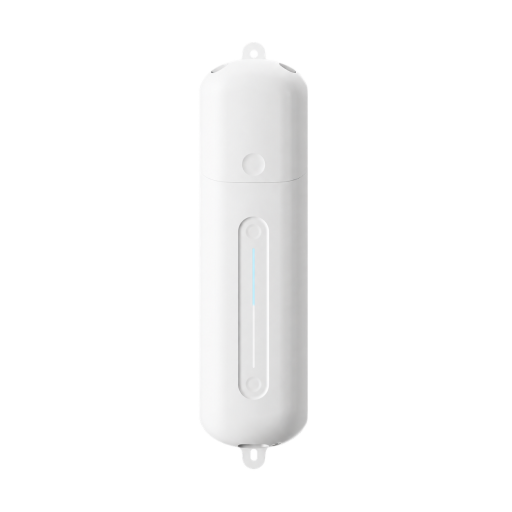 |
Options
How to use device type specific configuration
invert_cover: Inverts the reported cover position and the state derived from it, false: open=100,close=0, true: open=0,close=100 (default false). The value must betrueorfalsecover_position_tilt_disable_report: Do not publish set cover target position as a normal 'position' value (default false). The value must betrueorfalse
Exposes
Cover
The current state of this cover is in the published state under the state property (value is OPEN or CLOSE). To control this cover publish a message to topic zigbee2mqtt/FRIENDLY_NAME/set with payload {"state": "OPEN"}, {"state": "CLOSE"}, {"state": "STOP"}. It's not possible to read (/get) this value. To change the position publish a message to topic zigbee2mqtt/FRIENDLY_NAME/set with payload {"position": VALUE} where VALUE is a number between 0 and 100.
Battery (numeric)
Remaining battery in %, can take up to 24 hours before reported. Value can be found in the published state on the battery property. It's not possible to read (/get) or write (/set) this value. The minimal value is 0 and the maximum value is 100. The unit of this value is %.
Calibration (enum)
Enter mode (F002=0) and wait for automatic movement to stop; start up (1), STOP to save, start down (2), STOP to save. The motor reports completion (3).. Value will not be published in the state. It's not possible to read (/get) this value. To write (/set) a value publish a message to topic zigbee2mqtt/FRIENDLY_NAME/set with payload {"calibration": "VALUE"}. The possible values are: enter_mode, up_start, save_limit, down_start.
Calibration completed (binary)
Whether the device has reported calibration completion since the last calibration action. Value can be found in the published state on the calibration_completed property. It's not possible to read (/get) or write (/set) this value. If value equals true calibration completed is ON, if false OFF.
Work state (enum)
Value can be found in the published state on the work_state property. It's not possible to read (/get) or write (/set) this value. The possible values are: standby, opening, closing.
Total travel time (numeric)
Total travel time reported by the device after calibration. Value can be found in the published state on the time_total property. It's not possible to read (/get) or write (/set) this value. The minimal value is 0 and the maximum value is 120. The unit of this value is s.
Charge state (enum)
Value can be found in the published state on the charge_state property. It's not possible to read (/get) or write (/set) this value. The possible values are: uncharged, charging, charged.
Curtain close direction (binary)
Value can be found in the published state on the curtain_close_direction property. It's not possible to read (/get) this value. To write (/set) a value publish a message to topic zigbee2mqtt/FRIENDLY_NAME/set with payload {"curtain_close_direction": "VALUE"}. If value equals DOWN curtain close direction is ON, if UP OFF.
Charge led switch (binary)
Value can be found in the published state on the charge_led_switch property. It's not possible to read (/get) this value. To write (/set) a value publish a message to topic zigbee2mqtt/FRIENDLY_NAME/set with payload {"charge_led_switch": "VALUE"}. If value equals ON charge led switch is ON, if OFF OFF.