
Namron 4512798
| Model | 4512798 |
| Vendor | Namron |
| Description | Simplify wireless rotary dimmer |
| Exposes | battery, voltage, level_up_step_size, level_down_step_size, color_temp_up_step_size, color_temp_down_step_size, level_color_mode, action |
| Picture | 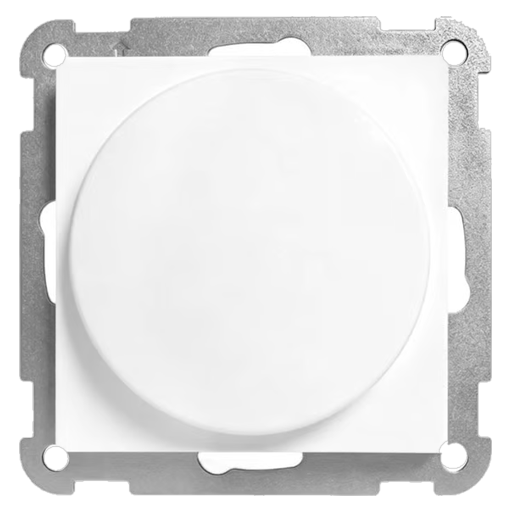 |
OTA updates
This device supports OTA updates, for more information see OTA updates.
Options
How to use device type specific configuration
simulated_brightness: Simulate a brightness value. If this device provides a brightness_move_up or brightness_move_down action it is possible to specify the update interval and delta. The action_brightness_delta indicates the delta for each interval. Example:
simulated_brightness:
  delta: 20 # delta per interval, default = 20
  interval: 200 # interval in milliseconds, default = 200
Exposes
Battery (numeric)
Remaining battery in %. Value can be found in the published state on the battery property. To read (/get) the value publish a message to topic zigbee2mqtt/FRIENDLY_NAME/get with payload {"battery": ""}. It's not possible to write (/set) this value. The minimal value is 0 and the maximum value is 100. The unit of this value is %.
Voltage (numeric)
Reported battery voltage in millivolts. Value can be found in the published state on the voltage property. To read (/get) the value publish a message to topic zigbee2mqtt/FRIENDLY_NAME/get with payload {"voltage": ""}. It's not possible to write (/set) this value. The unit of this value is mV.
Level up step size (numeric)
Brightness step when turning up. Value can be found in the published state on the level_up_step_size property. To read (/get) the value publish a message to topic zigbee2mqtt/FRIENDLY_NAME/get with payload {"level_up_step_size": ""}. To write (/set) a value publish a message to topic zigbee2mqtt/FRIENDLY_NAME/set with payload {"level_up_step_size": VALUE}. The minimal value is 1 and the maximum value is 100. The unit of this value is %.
Level down step size (numeric)
Brightness step when turning down. Value can be found in the published state on the level_down_step_size property. To read (/get) the value publish a message to topic zigbee2mqtt/FRIENDLY_NAME/get with payload {"level_down_step_size": ""}. To write (/set) a value publish a message to topic zigbee2mqtt/FRIENDLY_NAME/set with payload {"level_down_step_size": VALUE}. The minimal value is 1 and the maximum value is 100. The unit of this value is %.
Color temp up step size (numeric)
Color temperature step when turning up. Value can be found in the published state on the color_temp_up_step_size property. To read (/get) the value publish a message to topic zigbee2mqtt/FRIENDLY_NAME/get with payload {"color_temp_up_step_size": ""}. To write (/set) a value publish a message to topic zigbee2mqtt/FRIENDLY_NAME/set with payload {"color_temp_up_step_size": VALUE}. The minimal value is 1 and the maximum value is 254. The unit of this value is mired.
Color temp down step size (numeric)
Color temperature step when turning down. Value can be found in the published state on the color_temp_down_step_size property. To read (/get) the value publish a message to topic zigbee2mqtt/FRIENDLY_NAME/get with payload {"color_temp_down_step_size": ""}. To write (/set) a value publish a message to topic zigbee2mqtt/FRIENDLY_NAME/set with payload {"color_temp_down_step_size": VALUE}. The minimal value is 1 and the maximum value is 254. The unit of this value is mired.
Level color mode (enum)
Automatically return to brightness control after 10 seconds. Value can be found in the published state on the level_color_mode property. To read (/get) the value publish a message to topic zigbee2mqtt/FRIENDLY_NAME/get with payload {"level_color_mode": ""}. To write (/set) a value publish a message to topic zigbee2mqtt/FRIENDLY_NAME/set with payload {"level_color_mode": "VALUE"}. The possible values are: brightness_only, auto_switch.
Action (enum)
Triggered action (e.g. a button click). Value can be found in the published state on the action property. It's not possible to read (/get) or write (/set) this value. The possible values are: hold, double, on, off, toggle, brightness_move_to_level, brightness_move_up, brightness_move_down, brightness_step_up, brightness_step_down, brightness_stop, color_temperature_step_up, color_temperature_step_down, color_temperature_move_up, color_temperature_move_down, color_temperature_move_stop, color_temperature_move.